Free Word Search Worksheet Generator
Create printable word search puzzles on any of six themes (animals, fruits, school, family, numbers, or colors). The iBLOOM Learning word search generator places each word in a grid and fills the empty cells with random letters. Every worksheet includes a clear word bank, ample grid space, and a complete answer key. Use them for morning work, themed vocabulary weeks, or quiet-time activities.
- Live preview as you type
- Play on-screen with instant feedback
- Print or save as a separate PDF
- Custom title, directions, and answer key
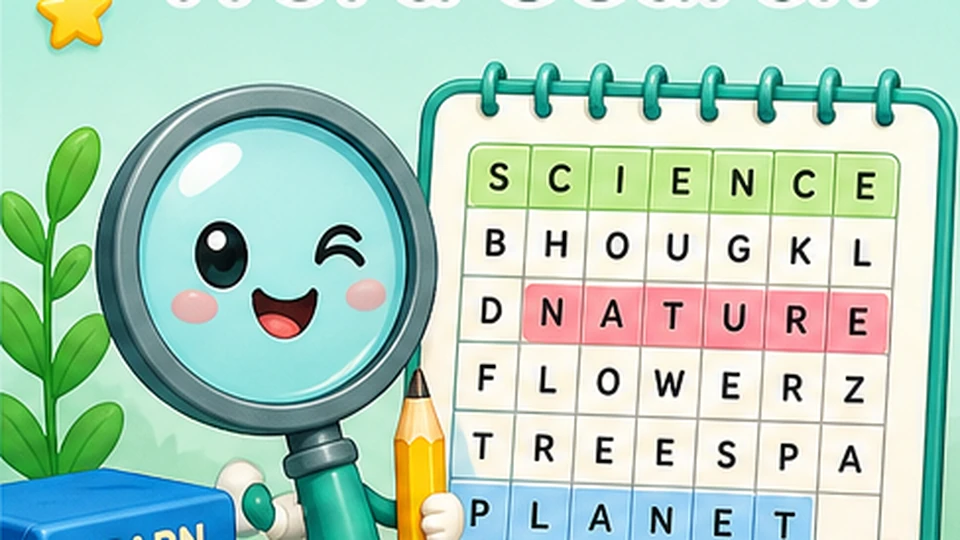
Preview Worksheet
Click Create worksheet to generate a preview
Or, pull real word search questions from your syllabus
Pick a class, subject, and lesson to load curriculum-aligned questions for the same skill as the generator above.
Choose a class, subject, and lesson above to load questions.
Related worksheet generators
Build a complete practice packet by combining word search with these complementary skills. Every link below opens the same live-preview builder you're using right now.
Try the lesson-wise builder
See what your school teaches — or generate syllabus-aligned questions on demand. While word search is great for focused practice, the lesson-wise builder pulls questions directly from your class syllabus topics.
Covers reading, vocabulary, and comprehension topics from your class syllabus.

Crossword Generator
Mini crosswords from theme-based vocabulary.
Open generator
Word Scramble Generator
Unscramble theme-based words.
Open generator
Matching Generator
Draw lines to match words to their definitions.
Open generator
Addition Generator
Build custom addition practice with regrouping and flexible ranges.
Open generatorWhat you'll see on the page
A quick tour of the word search worksheet — the problem types, the mistakes we deliberately avoid, and the standards each sheet lines up with.
Sample problems
Every worksheet randomly regenerates, but the format stays consistent with these examples.
- 1Find: tiger, lion, monkey, elephant, giraffe, zebra
- 2Find: apple, banana, orange, grape, mango, peach
- 3Find: pencil, crayon, marker, eraser, notebook, ruler
Classroom tips
What teachers and tutors have found works well with these sheets in real classrooms.
- Set a timer for friendly in-class competitions.
- Have students write a sentence using each word after finding it.
- Use the answer key as a quick informal assessment.
What is the word search worksheet generator?
Create printable word search puzzles on any of six themes (animals, fruits, school, family, numbers, or colors). The iBLOOM Learning word search generator places each word in a grid and fills the empty cells with random letters. Every worksheet includes a clear word bank, ample grid space, and a complete answer key. Use them for morning work, themed vocabulary weeks, or quiet-time activities.
How to use the word search generator
- 1Choose Word Search from the generator list.
- 2Pick a theme and the number of words to include.
- 3Tap Generate to refresh the live preview.
- 4Print, save, or share the worksheet.
When this worksheet is most useful
Use this word Search worksheet when you want practice that feels focused instead of random. It works well for warm-ups, short review, reteaching, homework, tutoring, or one calm extra page after a child almost understands the concept but still needs repetition.
Most visitors landing here are trying to solve a practical problem: they need printable practice that matches the learner in front of them today. The controls help you narrow the task so the page feels manageable, whether the goal is confidence-building review, fluency, or a slightly harder follow-up.
Why teachers and parents choose it
- Six built-in themes for unit alignment
- Adjustable grid size and word count
- Answer key on every worksheet
- Encourages scanning and visual discrimination
How to choose the right settings
- Start with the smallest setting that still matches the lesson. Fewer problems and a tighter range usually feel more achievable, especially for a child who is still learning the routine or who gets overwhelmed by a crowded page.
- Increase only one variable at a time. That might mean adding a few more problems, widening the number range, or turning on a harder option. Changing one thing at a time makes it easier to see whether the learner is ready for the next step.
- If the worksheet suddenly feels too hard, check the skills behind it: Spelling, Visual discrimination, Vocabulary, and Pattern recognition. Struggle often comes from a missing supporting skill rather than the worksheet format itself.
Teacher ideas
- Set a timer for friendly in-class competitions.
- Have students write a sentence using each word after finding it.
- Use the answer key as a quick informal assessment.
- Teachers often use this page to create a fast warm-up, an independent center page, a short intervention sheet, or a homework version of the same skill. Because the answer key is separate, it also works well for self-check stations and partner review.
- Set a timer for friendly in-class competitions.
Parent tips for home practice
- Bring a printed word search on a road trip for quiet engagement.
- Ask your child to circle the words and then use a highlighter on top - it makes a fun keepsake.
- Parents usually get the best results when the worksheet is used as one short practice step, not the whole lesson. A focused page can help a child recover after a confusing school day, review before a quiz, or keep skills fresh without turning practice into a long negotiation.
- Bring a printed word search on a road trip for quiet engagement.
- Ask your child to circle the words and then use a highlighter on top - it makes a fun keepsake.
Three steps. One perfect worksheet.
No accounts, no friction. Customize the controls and print.
Step 1
Customize
Set the controls on the left to match the skill you're targeting.
Step 2
Preview
The right pane updates as you change settings — no waiting on a download.
Step 3
Print or save
Print to paper, or download the worksheet and answer key as separate PDFs.
Made by teachers, loved by parents
Every generator is designed around the skills students actually need to master at each class level.
- Aligned to elementary skill progressions
- Saves 20+ minutes per worksheet
- Printable, savable, and re-runnable
- No watermarks, no signup walls
US & India
Region-tuned content
Easy to start
No signup required
15+ generators
Math, vocab, and logic
Always free
Built by iBloom
Word Search worksheet questions
Answers to the most common questions teachers and parents ask about this word search worksheet generator.
How many words should a word search have?
8-12 words is a good range for elementary students. Too few feels too easy; too many becomes frustrating. Adjust the word count to match the time you have available.
Is this worksheet generator really free?
Yes — every generator on this page is 100% free to use, with no signup required. You can generate, preview, print, and download as many worksheets as you like.
Can I save a worksheet to print later?
Yes. Use the "Worksheet PDF" button to download a print-ready PDF. The PDF includes the problems, your custom title, and a header strip for the student's name and date. The matching answer key downloads as a separate file when you click "Answer Key PDF".
Do I need a printer?
No. The PDF is a regular file you can open on any device. Many teachers send the PDF to students digitally, project it on a screen for whole-class work, or use it as a homework assignment in a learning management system.
Can I make a worksheet with my own words or numbers?
Each generator lets you pick from a few common option sets (number of problems, difficulty, etc.). Custom word lists and custom problem sets are not yet available, but the variation is large enough that a freshly generated page almost never repeats.
Does it work for UKG and Class 1?
Yes. Most generators include a "LKG" or "K" option in the class picker. The number range, line spacing, and font size are tuned to be readable for early learners.
Print a worksheet your students will actually finish
Free, fast, and printable. No signup required to start.