AI-Powered Learning for Kids: A Practical Parent Guide
Learn how to choose and supervise AI learning tools, verify answers, protect privacy, and keep children responsible for the thinking.
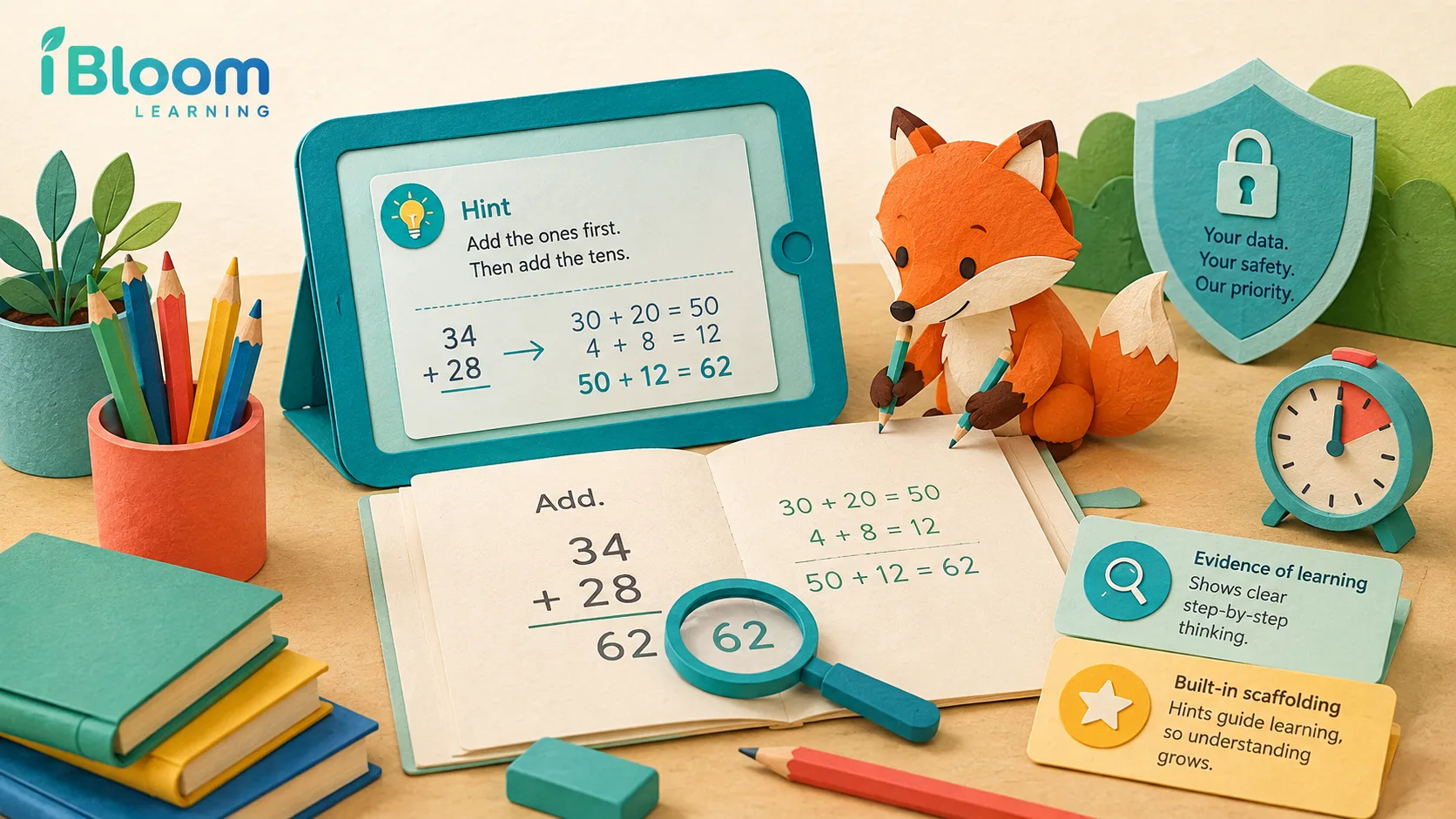
AI-powered learning for kids can adjust practice, offer hints, read text aloud, or help an adult see patterns in completed work. The label alone says little about educational quality. Parents and teachers need to check the learning goal, the child’s role, the evidence produced, and the way a tool handles data.
Free family AI learning checklist
The Family AI Learning Check helps an adult review one tool during one learning task. It asks whether the family chose a clear goal, checked age guidance, protected private information, required a first attempt, verified an answer, and kept evidence of the learner’s own work.
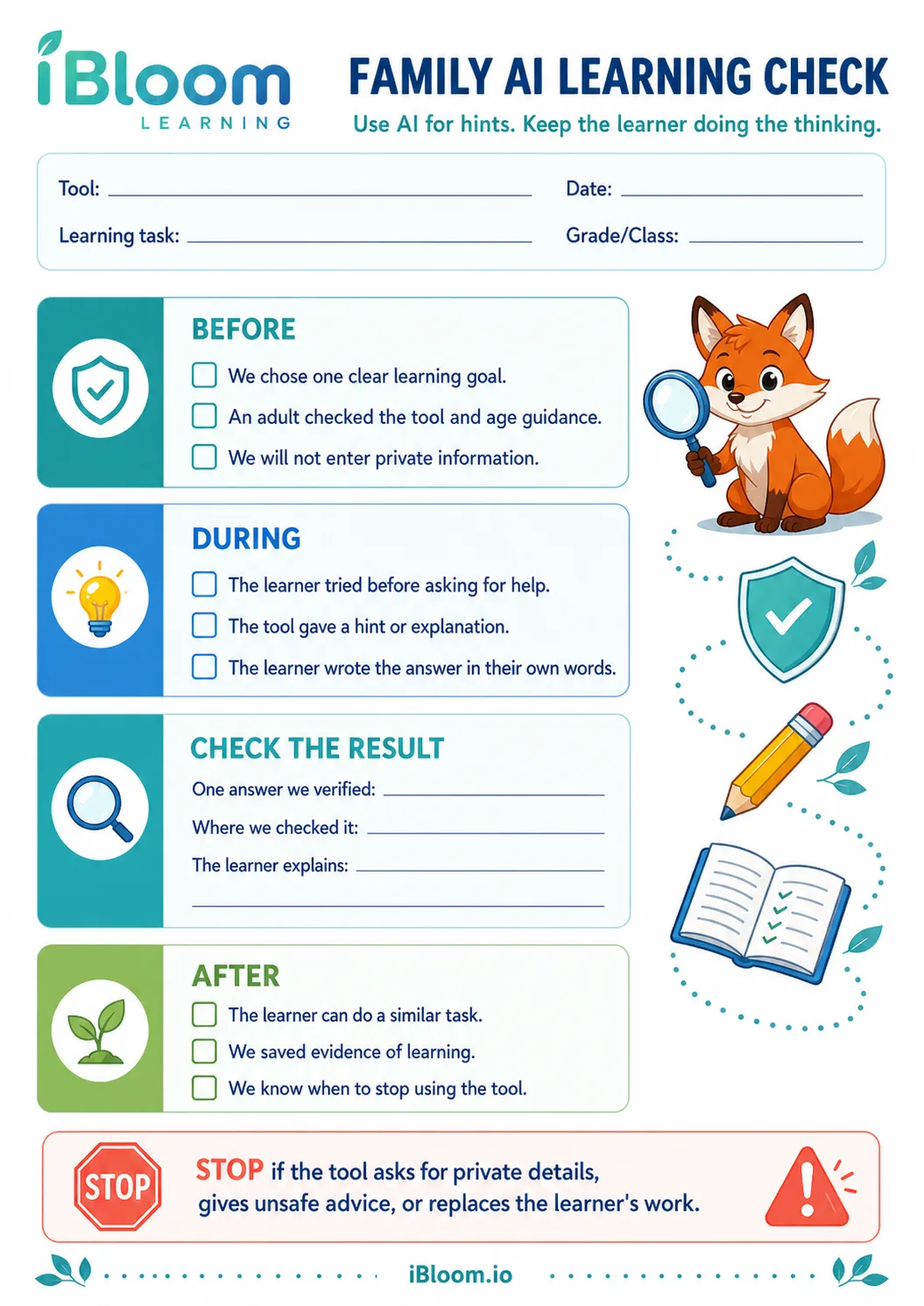
Download the free Family AI Learning Check PDF
Use one sheet for a maths explanation, reading question, spelling activity, or writing prompt. The completed page should show what the child attempted and how the family checked the result. It is a decision record, so it does not need an answer key.
What AI-powered learning means for an elementary learner
Several kinds of software use the term AI. Adaptive practice selects the next question from a learner’s recent responses. A feedback tool compares an answer with a model or rule. A generative tool creates explanations, questions, images, or text. A reporting system groups results so an adult can see which skills need attention.
Those functions can support a lesson, but none guarantees learning. A child learns through actions such as recalling, comparing, explaining, calculating, reading, writing, and revising. The tool should make those actions easier to target and inspect. It should not perform all of them for the child.
UNESCO’s work on AI and the rights of learners stresses data protection, transparency, accountability, inclusion, and human oversight. UNICEF’s guidance on AI and children asks designers and decision-makers to protect children’s safety, privacy, fairness, and development. Families can turn those broad principles into questions they use before, during, and after a learning session.
Four tests for a useful AI learning tool
1. The child has a clear task
“Use AI for homework” is too broad. Choose a task you can observe: compare two fraction models, practise five spelling words, find evidence in a paragraph, or revise a topic sentence. Write the goal before opening the tool.
A clear target lets you judge whether the tool helped. It also keeps the child from moving through unrelated prompts without finishing any piece of work.
2. The child attempts the work
Ask for a first attempt before a hint. For a maths problem, the child can draw a model or select an operation. For reading, the child can underline a sentence that may contain the answer. For writing, the child can draft one sentence.
The first attempt gives the tool and the adult useful information. It also preserves the productive part of the task. Our AI tutor guide for parents explains how to use prompts that request a clue, question, or worked example instead of a finished submission.
3. The output can be checked
An AI response may sound fluent while containing a wrong fact, weak explanation, or unsuitable example. Give the child a checking source. A textbook, teacher note, calculator, dictionary, primary source, or worked answer can serve that role.
Ask the child to point to the part that was verified. “The answer looked right” gives no evidence. “I multiplied the quotient by the divisor and got the dividend” describes a check.
4. The child can transfer the idea
Finish with one nearby task without the tool. Change the numbers, sentence, word, or example while keeping the same skill. If the child can explain and complete the new task, the session produced evidence of learning. If not, return to a concrete model or adult explanation.
Choose the right AI function for the need
Adaptive practice
Adaptive practice can reduce wasted questions when it selects work near the learner’s current level. Check whether the system explains its grade or skill sequence and whether an adult can see completed items. A child should still receive a mix of recall and reasoning tasks.
The AI worksheet guide shows how parents can compare a generated practice page with the learner’s actual goal before printing or assigning it.
Hints and explanations
A hint should reveal enough information for the next step while leaving work for the learner. Useful prompts include “Show one visual model,” “Ask me a question that helps me choose the operation,” and “Explain the rule with a new example.”
Avoid prompts that ask for a completed paragraph or answer set. The output may be polished, but the child has produced little evidence.
Read-aloud and accessibility support
Text-to-speech, speech recognition, translation, and visual supports can improve access. Keep the learning goal in view. If the goal is comprehension, listening may be suitable. If the goal is decoding unfamiliar words, the child needs a chance to read before hearing the full passage.
Progress summaries
A summary can help an adult find repeated errors or skipped skills. Review the underlying work before accepting a label such as “mastered.” Five correct multiple-choice items may not show whether the child can explain or apply the idea in a new form.
A safe 20-minute session
Minutes 1 to 3: set the goal
Write one sentence: “Today I will learn to compare fractions with the same numerator.” Choose the source material and decide how you will check the answer.
Minutes 4 to 9: first attempt
The child works on paper or in the learning activity. An adult watches for the point where help becomes useful. Do not open a general chatbot account for a young child without checking its age terms and privacy settings.
Minutes 10 to 14: request targeted help
Ask for a hint, visual, definition, or one worked example. Do not enter a child’s full name, school, address, photo, voice recording, health details, passwords, or account information. The AI tutor privacy checklist provides a fuller family review.
Minutes 15 to 18: verify and explain
Compare the output with the chosen source. The child explains the rule in their own words and corrects the first attempt.
Minutes 19 to 20: transfer and stop
Try one similar task without help, then close the tool. Save the child’s work or note one skill to revisit.
Questions to ask before creating an account
Read the product page, privacy policy, age requirement, and account controls. Then ask:
- Which child data does the service collect?
- Can a parent view and delete the child’s work?
- Does the tool use prompts or responses to train models?
- Can a child contact strangers or receive open-ended content?
- Does the product show advertisements or offer purchases?
- Can an adult control difficulty, subject, and session length?
- What happens after the family closes the account?
Do not rely on a safety badge without reading the linked policy. A privacy policy should name the data, purpose, retention period, and deletion route in plain terms.
For a shorter operational list, use the AI tutoring safety checklist. Families can also review AI tutor boundaries for kids before setting household rules.
Signs that the tool is replacing learning
Pause the session when the child copies sentences without explaining them, accepts a result without checking it, skips the first attempt, or keeps prompting after the original task is complete. Also stop if the system requests private details, gives unsafe advice, or encourages the child to hide an interaction from an adult.
Return to paper, objects, a book, or a conversation. The screen-free learning activities guide offers short alternatives for reading, maths, storytelling, and observation.
How parents can judge progress
Look for a change in the child’s work rather than minutes on a platform. Evidence may include fewer prompts needed, a clearer explanation, a corrected misconception, a stronger written response, or success on a new example.
Keep a small record with four columns: date, skill, help used, and independent check. After several sessions, ask whether the tool addresses the same need or sends the child through unrelated activities. Use the answer to adjust the plan.
The learning-gaps guide can help an adult decide whether a repeated error needs prerequisite instruction, focused practice, or a conversation with the teacher.
Frequently asked questions
Is AI-powered learning suitable for every age?
Age terms, data practices, and the amount of adult support vary by product. Young children need adult-selected tools and close supervision. Check the service’s stated age requirement before creating an account.
Can an AI tutor replace a teacher?
No. A teacher interprets context, relationships, curriculum, language, development, and wellbeing. Software can support selected tasks and provide practice or feedback within limits.
Should a child use AI to write homework?
School rules should guide the decision. A child can use a permitted tool to ask for a definition, example, or feedback, then write and cite work according to the assignment. Submitting generated work as the child’s own prevents an adult from seeing what the child understands.
How can a family check an AI answer?
Use a source suited to the claim: a textbook for the taught method, a dictionary for spelling, a calculator for arithmetic, or a primary source for a fact. Ask the child to describe the check.
AI supports learning when a child remains responsible for the attempt, explanation, and final answer. The checklist makes those responsibilities visible in one page.